Four sentences that turn an idea into an interactive view
मूल रूप से 1 अक्तूबर 2026 को WordPress पर प्रकाशित।
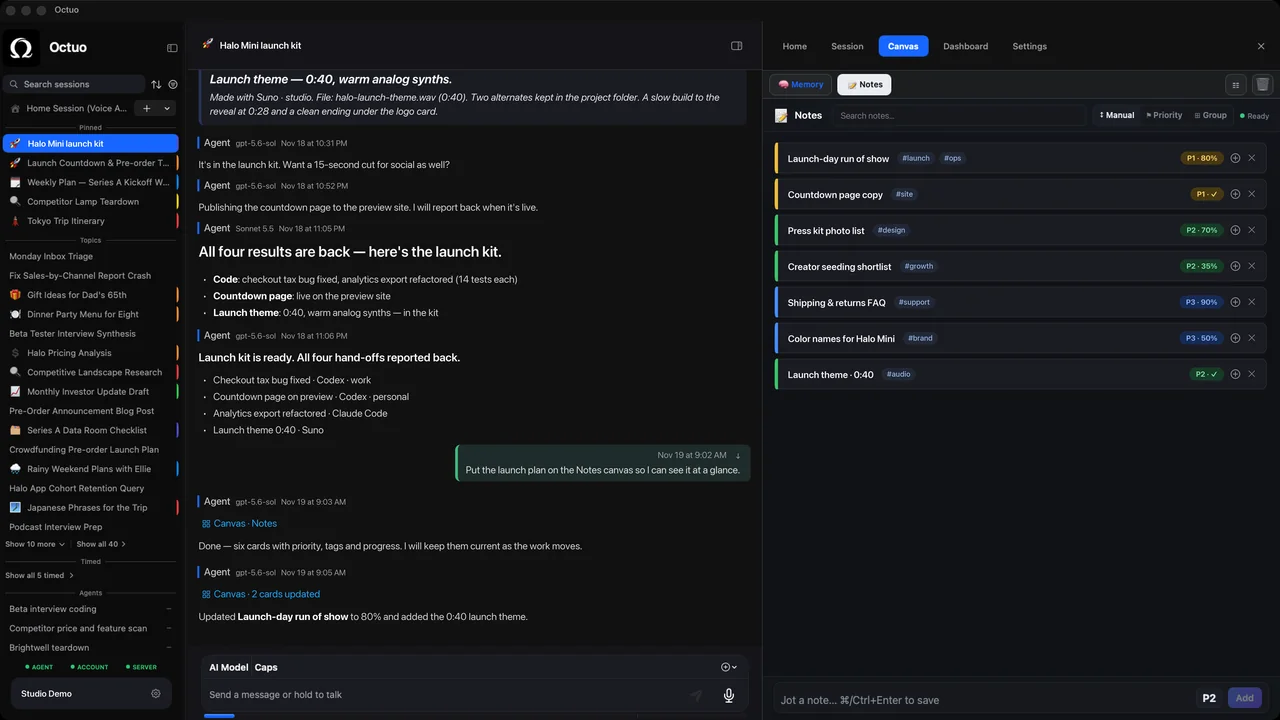
A small interactive view starts with a clear description. Four sentences are enough:
- Who and when. “I use this in the week before a project launch.”
- What it keeps. “Each task has a name, an owner, a due date and a status.”
- What I do with it. “I want to tick tasks off, filter by owner and add a note.”
- What stays in view. “Show anything overdue at the top.”
Example wording only (illustrative); write yours in your own words.
That is enough to start. On its Canvas, Octuo lays out private interactive views from a description like this, and it can see and operate them too, so you and the assistant work from the same surface. Tomorrow it’s still there.
Canvas also includes built-in modules: a notes module for your own ideas, and a memory module that lets you view and manage the memory available to your agent.
Try it with something small and recurring: a check-in, a checklist, a log. We’re the Octuo team, and it’s one of our favorite things we’ve built. Octuo is available for macOS.